Showing posts with label backup. Show all posts
Showing posts with label backup. Show all posts
Thursday, August 6, 2009


Tuesday, June 23, 2009
Fast Duplicate File Finder
 Fast Duplicate File Finder will help you find fast all duplicate files in a folder and its sub folders. The applications will compare the content of your files so it will find duplicates even if they are using different file names.
It uses fast binary comparison algorithm and has internal preview supporting a lot of image, video, music and text file formats. You can also preview the files in binary mode. When the scan process is finished the program shows you all duplicate files in groups and can automatically mark the older files for deletion. The auto mark algorithm has advanced settings to exclude from auto mark files with user specified extensions, file sizes, file dates and file names. You can also set which folders you want to exclude from the auto mark. There is an option to protect system files and folders which is recommended to be turned on. More Details...
DOWNLOAD
Friday, January 30, 2009
Internet Explorer - BackUp All Your Passwords and Settings Easily

Most of the users use Mozilla Firefox to surf Internet but not all. In past I wrote a lot about Mozilla Firefox add-ons, themes, tips and tricks but today's post if for Internet Explorer users.Here is a simple application known as Internet Explorer Backup. It allows you to backup favorites, history, proxy settings, fonts, dialup accounts, autocomplete passwords and cookies.BackRex Internet Explorer Backup can help you to move all your Internet Explorer settings from one computer to another, even if it has a different version of Windows and/or Internet Explorer installed (for example from Internet Explorer 5.0 to Internet Explorer 6.0 or vice versa).With Scheduled Backup feature you can backup all your data on a regular basis - daily, weekly or monthly.
For More Details, Visit http://www.backsettings.com/internet-explorer-backup.html
Monday, January 12, 2009
Cobian Backup - With Open Files Backup

Cobion backup software backups open files using shadow copies in windows XP and VISTA.
e.g. you can easily backup open pst file to local or network location.
Support for Volume Shadow Copies.
You will be able to backup locked files
Support for 7zip compression and Much More...
You will be able to backup locked files
Support for 7zip compression and Much More...
Friday, December 12, 2008
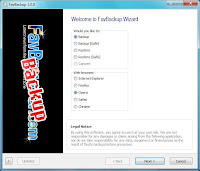
Free backup software - FBackup 4.0
FBackup 4.0 free backup software for Windows Vista, XP, 2008/2003/2000 Server

 FBackup4.0 has a simple interface and guides you through the process of defining a backup job using a friendly wizard that asks you:

 FBackup4.0 has a simple interface and guides you through the process of defining a backup job using a friendly wizard that asks you:
1. Where do you want to store the backup (the destination).
2. What do you want to backup (the sources).
3. How do you want to run the backup (using full backup that zips the files, or mirror backup that doesn't zip them).
4. When do you want to run the backup (you can schedule it to run autmatically or run it manually).
2. What do you want to backup (the sources).
3. How do you want to run the backup (using full backup that zips the files, or mirror backup that doesn't zip them).
4. When do you want to run the backup (you can schedule it to run autmatically or run it manually).
Main Features - It’s free (as in speech, not beer). - Automatic backups - Backup with standard zip compression. - Exact copies of files. - Easy to use. - Backup open files. and Much More...
Subscribe to:
Posts (Atom)


